How to use PayPal friends payment
UK
at your PayPal: https://www.paypal.com/myaccount/summary
> click on Send and Request
make sure the left button Payment is selected,
then...
add utle2uk@btconnect.com
> click on Next
On the first payment dialogue page...
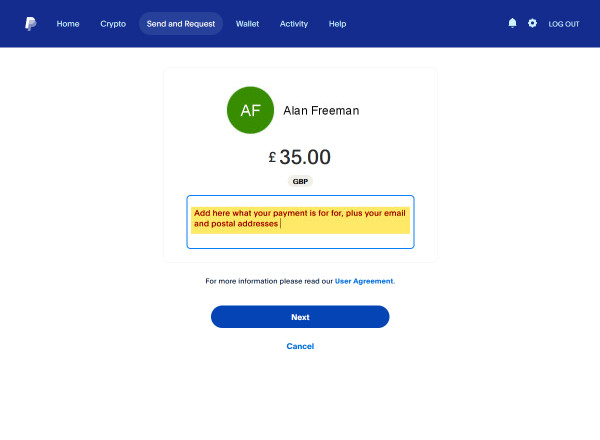
add payment
amount
click on What is this for? and add details of what you are paying for,
plus your email and postal address
click on Next
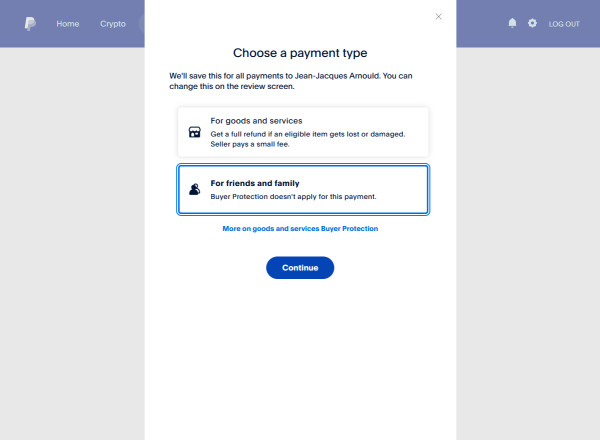
You will get this pop-up
Click on For friends and family > Click on Continue
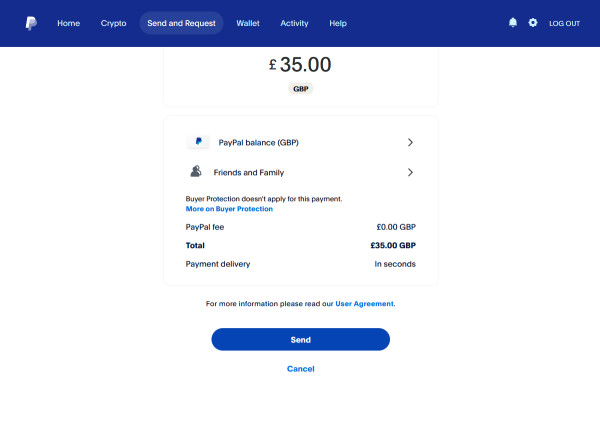
If all the details are now correct, showing PayPal fee £0.00
GBP > Click Send
International
at your PayPal: https://www.paypal.com/myaccount/summary
> click on Send and Request
make sure the left button Payment is selected,
then...
add utle2uk@btconnect.com
> click on Next
On the first payment dialogue page...
add payment
amount: use Recipient gets option
click on What is this for? and add details of what you are paying for,
plus your email and postal address
click on Next
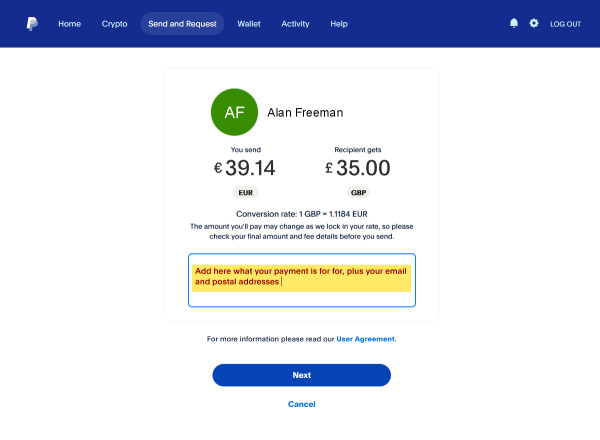
On the second payment dialogue page...
select your funding method
if it says Goods and Services, click on Goods and
Services to change
if it says For friends and family, click Send
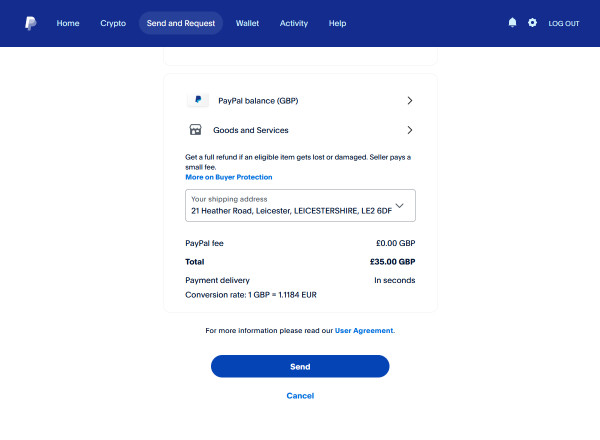
If you clicked on Goods and Services to change, you
will get this pop-up
Click on For friends and family
> Click on Continue
If all the details are now correct, it should be showing
PayPal fee £0.00 GBP > Click Send
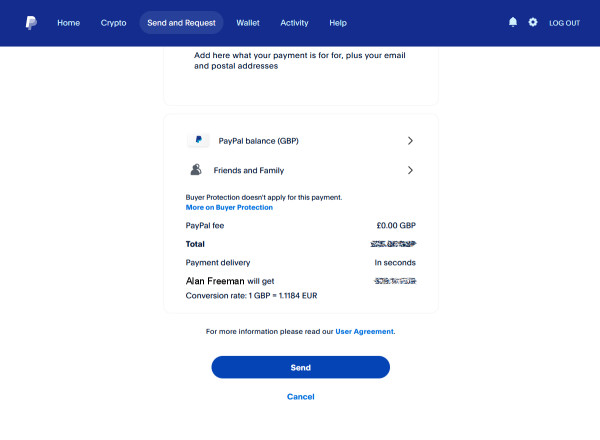
Important: friends payment does not include PayPal's payment
protection fees and should not be used
if you wish to take advantage of their additional services. To pay an amount
including PayPal's payment
protection fees, adding 5% to your payment total usually covers it.
